+33-9-7266-3068
 contact@gdm-pixel.fr








A successful keyword audit largely depends on using the right tools. Here’s a small list of potential candidates, with their advantages and disadvantages. Spoiler alert: you’ll need to spend a bit…
Analyzing existing keyword performance
First, you’ll need to analyze your existing keywords’ performance, those your site already ranks for.
For that, it’s very simple: use Google Search Console, Google Analytics, or another similar tool.
Google Search Console
Essential and free, this tool gives you an overview of keywords your site already ranks for. It reveals impressions, clicks, average position, and click-through rate (CTR) for each query.
It’s not my favorite, but it works. And with morning coffee, twice a week, it can motivate.
Google Analytics
Although it doesn’t directly provide the complete keyword list, it helps you understand users’ behavior arriving on your site. Analyze top-performing landing pages, time spent on site, and bounce rate by traffic source to deduce your keywords’ effectiveness.
Not my favorite at all either, and not GDPR compliant…
PostHog
My favorite, PostHog is an audience tracking tool allowing you to discover traffic sources and user behaviors.
It’s paid but very affordable, allows you to post surveys, create heatmaps, and record visit sessions. A great tool (which I’ll discuss in more detail in another article).
Keyword research and competitive analysis: THE free tool
Well, you have the list of expressions your site ranks for, but you need to know what your competitors are doing.
And you also need a much more exhaustive KW list…
Google Keyword Planner
Although primarily designed for paid advertising on Google Ads, Google Keyword Planner (GKP) proves to be an invaluable resource for organic keyword research and, consequently, for keyword audits.
Its main asset lies in its free nature and direct integration with the Google ecosystem.
Here’s how GKP can help you during your audit:
-
Discovering new keywords: By entering basic keywords related to your business, GKP suggests an extended list of relevant keyword suggestions. It allows you to identify opportunities you might not have considered otherwise.
-
Search volume estimation: The tool provides monthly search volume estimates for each keyword, giving you an indication of its popularity and traffic potential. Although this data is aggregated, it remains a useful indicator for prioritizing your efforts.
-
Competition analysis (limited): GKP provides indications of competition level for keywords in advertising campaigns. While this doesn’t directly reflect organic ranking difficulty, it can give you an idea of highly contested keywords.
-
Organization and segmentation: You can organize your keywords into thematic groups within GKP, facilitating management and analysis of your keyword list.

How to use it effectively for a keyword audit:
- Define your objectives: Before diving into the tool, clarify what you’re looking for. What aspects of your keyword audit do you hope to clarify with GKP?
- Enter your starting keywords: Use keywords you’ve already identified as important for your business as a starting point.
- Explore suggestions: Carefully analyze keyword suggestions proposed by GKP and identify those relevant to your business and target audience.
- Evaluate search volume: Use search volume estimates to prioritize keywords with the greatest traffic potential.
- Combine it with other tools: GKP is an excellent starting point, but combine its data with other tools (like Google Search Console and Google Analytics) to get a more complete picture of your keyword performance.
The great strength of Keyword Planner or other tools I’ll discuss is providing data directly from the SERP (Search Engine Results Page). We’re not at all in the “guesswork” realm.
Google Keyword Planner advantages and disadvantages
Like any tool, Google Keyword Planner (GKP) has advantages and disadvantages.
Advantages:
-
Free: Its main advantage lies in its accessibility. You can use it free with a Google Ads account, making it an ideal option for small businesses or people with limited budgets.
-
Google integration: The tool is directly integrated into the Google ecosystem, ensuring you get data directly from the source, even if aggregated.
-
Keyword suggestions: GKP excels at generating related keyword ideas. By entering a few basic keywords, it proposes a long list of suggestions, helping you discover relevant terms you might not have thought of.
-
Search volume estimation: It provides monthly search volume estimates for each keyword, giving you an indication of its popularity. This information is valuable for prioritizing your efforts.
Disadvantages:
-
Aggregated data: Search volume data provided by GKP is often presented as ranges (e.g., 100-1k). This aggregation makes it difficult to obtain a precise potential traffic estimate.
-
Primarily advertising-focused: GKP is primarily an advertising planning tool. Competition data reflects the difficulty of bidding on a keyword in Google Ads, not the difficulty of ranking organically.
-
Google Ads account required: While the tool is free, you must have a Google Ads account and, in some cases, have an active campaign to access all features and obtain more precise data.
-
Less precise than paid tools: Paid tools like SEMrush or Ahrefs generally offer more precise data, deeper competitive analysis, and more advanced features.
Google Keyword Planner is a valuable tool for starting your keyword audit thanks to its free nature and ease of use. However, you’ll quickly encounter its limits, and you’ll need to invest in a paid solution if you need more advanced features and more precise data.

Not free tools at all!
I’ll be direct: to do a “REAL” keyword audit, you need to break your piggy bank. It’s expensive, yes, it stings, but it’s worth it.
SEMrush: a complete SEO tool suite
SEMrush is much more than a simple keyword research tool. It’s a complete platform offering a multitude of features to analyze your website, track your competitors, and optimize your overall SEO strategy. Its main asset lies in its ability to aggregate a large amount of data in one place, saving you precious time during your audit.
How SEMrush facilitates your keyword audit
SEMrush offers an extensive range of features dedicated to keyword research, going well beyond simply identifying relevant terms. These tools allow you to deepen analysis, evaluate competition, and develop a solid content strategy.
In a few clicks, your keyword audit will be finished! Well, that’s false, but you’ll still save precious time.
Keyword exploration tools:
-
Keyword Magic Tool: This tool is a true goldmine for keyword discovery. By entering a basic keyword, it generates an exhaustive list of associated terms, questions, long-tail variations, and semantically related keywords. You can filter and segment results by search volume, keyword difficulty, search intent, and other relevant parameters. This helps you identify the most promising keyword opportunities for your business.
-
Keyword Gap: Compare your keyword profile with your competitors’. Discover keywords they rank for that you’re missing. This feature allows you to identify strategy gaps and target keywords that can generate qualified traffic.
-
Organic Research: Analyze keywords a specific domain ranks for organically. This allows you to spy on your competitors’ strategies, discover their top-performing keywords, and identify new opportunities for your own website.
Competitive analysis with SEMrush
SEMrush also excels at competitive analysis, a crucial aspect of any keyword audit. Understanding what your competitors do allows you to identify missed opportunities, improve your own strategy, and ultimately outrank them in search rankings.
-
Identify your main competitors: SEMrush can identify your organic competitors, those ranking on the same keywords as you. These aren’t necessarily the same companies as your direct business competitors, but websites competing for the same online audience.
-
Competitor keyword analysis: The “Organic Research” report allows you to identify keywords your competitors rank for, traffic volume they generate through these keywords, and top-performing landing pages. Analyze this list to identify keywords you hadn’t considered or that could be better exploited on your site. The “Keyword Gap” allows for in-depth comparative keyword analysis and seeing missing keywords.
-
Content opportunity discovery: By analyzing your competitors’ top-performing landing pages’ content, you can identify topics interesting your target audience. This can give you ideas for new blog articles, guides, infographics, or other content types that could attract traffic to your site.
-
Competitor backlink analysis: SEMrush also allows you to analyze your competitors’ backlink profile, identifying websites pointing to them. This information is valuable for identifying link building opportunities and strengthening your own site’s authority.
-
Monitoring ranking changes: SEMrush allows you to track your competitors’ ranking changes for specific keywords. This allows you to react quickly if a competitor gains ground and modify your strategy accordingly.

Ahrefs: the reference link and keyword analysis tool
Ahrefs is another powerful and versatile SEO tool, particularly renowned for its in-depth backlink analysis. However, it also offers a wide range of features for keyword research and competitive analysis, making it a valuable asset during a keyword audit. Although there’s similarity with SEMrush, Ahrefs distinguishes itself by its way of analyzing backlinks.
How is Ahrefs useful for a keyword audit?
Ahrefs provides you with several powerful tools to dissect organic keywords and understand how they contribute to your site’s and your competitors’ performance. Its unique approach, combining keyword analysis with backlink analysis power, offers a rich and actionable perspective.
Using “Site Explorer” to identify performing keywords
Ahrefs’ “Site Explorer” tool is an excellent starting point. By entering your domain name (or a competitor’s), you access a multitude of information, including main organic keywords generating traffic. This report reveals:
- Keywords your site ranks for: Visualize the complete list of keywords your site appears for in search results.
- Search volume and average position: Evaluate each keyword’s potential and track your positioning evolution.
- Estimated organic traffic: Estimate the traffic each keyword brings to your site.
- Top-performing landing pages: Identify pages attracting the most organic traffic through specific keywords.
The “Keywords Explorer” tool for discovering new opportunities

The “Keywords Explorer” allows you to deepen your research and discover new keyword opportunities. You can:
- Search for specific keywords: Enter a basic keyword and Ahrefs will suggest a list of suggestions, variations, and related keywords.
- Analyze keyword difficulty: Evaluate the difficulty of ranking for a given keyword considering competition and website authority already ranking.
- Identify long-tail keywords: Find more specific and less competitive queries that can generate qualified traffic to your site.
By combining data from “Site Explorer” and “Keywords Explorer,” you’ll get a complete overview of your organic keyword landscape and identify opportunities to exploit to improve your online visibility. Remember to exploit the intersection between search volume and ranking difficulty to define pragmatic priorities in your keyword strategy.
Tracking keyword rankings with Ahrefs
A keyword audit isn’t a one-time event but a continuous process. Tracking your target keywords’ positioning is essential for evaluating your SEO strategy’s effectiveness and identifying necessary adjustments. Ahrefs offers robust features to help you track your ranking evolution and monitor your competitors’ movements.
The “Rank Tracker” tool in Ahrefs is specially designed to monitor your keywords’ positioning in Google search results (and other search engines).
How to use Ahrefs’ Rank Tracker:
- Add your target keywords: Define the list of keywords you want to track. It’s crucial to focus on the most important keywords for your business with potential to generate qualified traffic.
- Specify geographic locations: Ahrefs allows you to track your keywords’ positioning in specific countries, regions, or even cities. This is particularly important if your business targets a local audience.
- Configure updates: Define the frequency at which you want Ahrefs to check your positioning. You can choose daily, weekly, or monthly updates.
- Analyze data: Rank Tracker provides you with data on your current positioning, ranking evolution over time, keyword search volume, and estimated organic traffic. You can also compare your positioning with your competitors’.
- Use charts and reports: Ahrefs generates visual charts and detailed reports helping you understand your positioning evolution and identify trends. Use this data to make informed decisions and optimize your SEO strategy.
- Leverage “featured snippets” opportunities: Ahrefs identifies opportunities to gain “featured snippets” on Google and helps you optimize your content to achieve this.
Moz Keyword Explorer
Moz Keyword Explorer is a paid tool designed to help you identify the most relevant keywords for your business and understand their potential.
It offers a range of features for keyword research, competitive analysis, and difficulty evaluation. While it shares some similarities with SEMrush and Ahrefs, Moz distinguishes itself by its unique approach to keyword difficulty and its specific metrics.
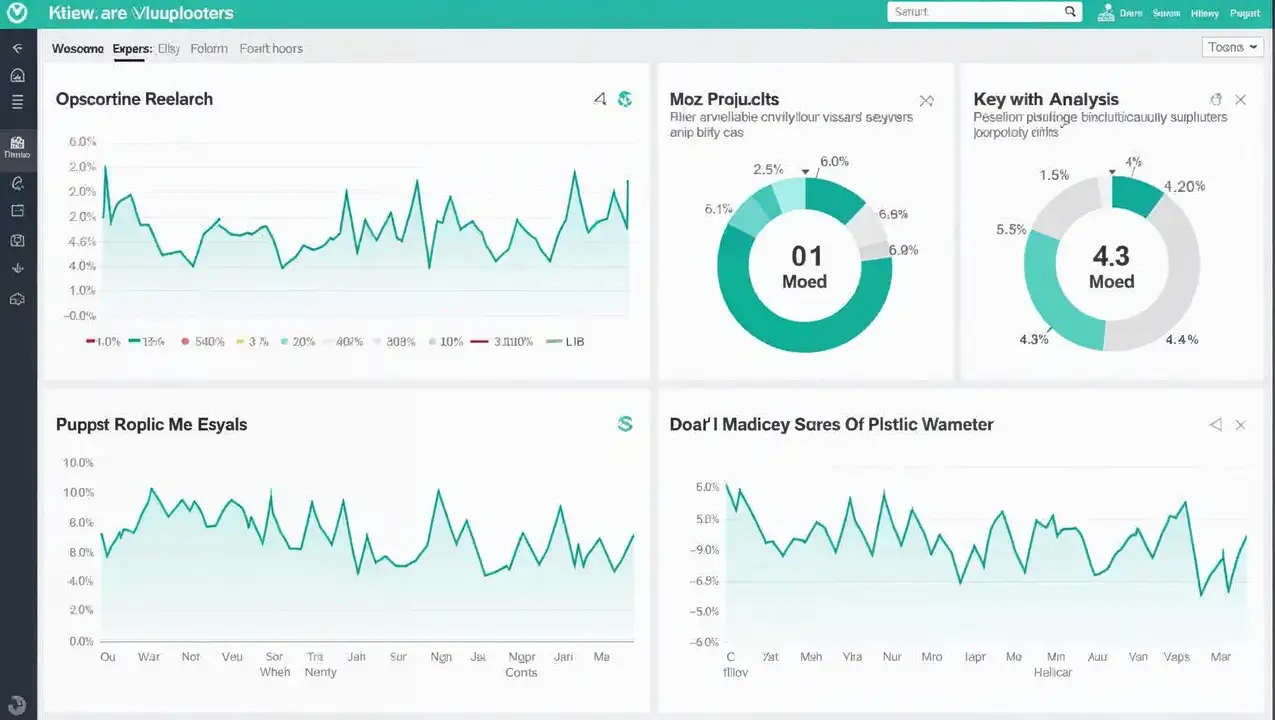
Main characteristics of Moz Keyword Explorer:
-
Precise search volume: Moz Keyword Explorer offers search volume estimates that, according to many users, are more precise than Google Keyword Planner’s, even if they may differ from other SEO tools’ data.
-
Keyword Difficulty Score: Moz offers its own “Keyword Difficulty” score evaluating the difficulty of ranking for a given keyword. This score is based on web pages’ authority already ranking in top search results. It helps you prioritize keywords with realistic potential, especially if you’re starting out or have a limited budget.
-
Opportunity Score: This metric combines a keyword’s search volume, difficulty, and CTR potential to give you an indication of its overall potential. It helps you identify keywords offering the best return on investment.
-
SERP Analysis: Analyze search results pages (SERP) for a given keyword and obtain information on ranking websites, their authority, and their content. Understand what works for your competitors and adapt your own strategy.
-
Keyword Suggestions: Get suggestions for related keywords, questions, and long-tail variations. Refine your search with filters based on volume, difficulty, and opportunity.
How to use it effectively:
- Define your objectives: What keywords do you want to analyze? What competitors are you targeting?
- Explore suggestions: Analyze keyword suggestions proposed by Moz and identify those relevant to your business and target audience.
- Analyze keyword difficulty: Use difficulty estimates to prioritize keywords with the greatest traffic potential.
- Complete your results: Moz is an excellent asset, combine its data with other tools (like Google Search Console and Google Analytics) to get a more complete picture of your keyword performance.
Other useful tools for keyword research
While previously mentioned tools are pillars for a keyword audit, other solutions, sometimes less known, can bring a complementary perspective and refine your analysis. It’s good to know these alternatives to diversify your approach and discover hidden opportunities.
Keyword Sheeter
A simple but effective tool for generating a large quantity of keyword suggestions from an initial term. Keyword Sheeter is particularly useful for identifying long-tail variations. You can then export data to analyze it in more detail with other tools.
SERPwoo (SERPROBOT)
This tool allows detailed analysis of search results pages (SERP) for a given keyword. It gives you information on ranking websites, their authority, their backlinks, and their content. This can help you understand what works for your competitors and adapt your own strategy. It’s here!
Soovle
Soovle is a unique tool that generates keyword suggestions from multiple sources, including Google, YouTube, Amazon, Wikipedia, and Bing. This can help you identify keyword opportunities in different contexts and platforms.

Wordtracker
A paid tool offering data on search volume, competition, and keyword opportunities. Wordtracker notably allows evaluating keywords’ profitability based on cost per click and conversion rate.
Don’t hesitate to test these tools and integrate them into your usual workflow. Experimentation is essential for finding solutions that best match your needs and analysis style.
Ubersuggest
Although it offers paid features, Ubersuggest offers a free version with keyword suggestions, domain analysis, and content ideas.
So there, I mention it because it exists and you’re likely to come across it sooner or later, but I’ll tell you frankly: I hate everything Neil Patel does. Not because they’re bad tools, on the contrary, but rather because of Neil’s commercial policy, which is sometimes “borderline.”
The guy activates all marketing levers to push for purchase, and it often happens at the expense of customer service.
What Ubersuggest brings you for your audit:
- Keyword suggestions: Enter a basic keyword and Ubersuggest generates a list of associated keyword suggestions, long-tail variations, and frequently asked questions. It’s an excellent way to broaden your research scope and discover relevant terms you hadn’t considered.
- Search volume analysis: Get monthly search volume estimates for each keyword, giving you an indication of its popularity and traffic potential. This information helps you prioritize the most promising keywords.
- SEO difficulty analysis: Ubersuggest offers an SEO difficulty score for each keyword, indicating how difficult it will be to rank in top search results. This allows you to target keywords with realistic potential, especially if you’re a small business or new website.
- Content ideas: Ubersuggest analyzes top-performing content for a given keyword and suggests topic ideas to address in your own blog articles, videos, or other content types.
- Domain analysis: Analyze your own website or your competitors’ to obtain information on their positioning, organic traffic, and main keywords.
How to use it best:
- Initial brainstorming: Use Ubersuggest to generate a list of potential keywords related to your business.
- Filtering and sorting: Refine your list based on search volume, SEO difficulty, and relevance to your target audience.
- SERP analysis: Examine search results pages (SERP) for target keywords to understand competition and content types ranking best.
- Performance content research: Use Ubersuggest to identify most popular content on social media and in terms of backlinks for each keyword.
Well, you see, nothing you couldn’t do with other tools, except Ahrefs and SEM Rush are much more powerful. However, the free version is an excellent starting point for practicing.

AnswerThePublic
AnswerThePublic distinguishes itself from traditional keyword research tools by its question-focused approach. It doesn’t just suggest keywords but identifies questions, prepositions, and comparisons that internet users use when searching for information on a given topic.
It’s a valuable tool for understanding search intent and creating content that directly responds to it.
What AnswerThePublic brings you for your audit:
- Discovering your audience’s questions: The tool helps you identify questions your potential customers are actually asking. This allows you to create informative, relevant, and engaging content answering their needs.
- Understanding search intents: By analyzing questions, prepositions, and comparisons used in search queries, you can better understand your audience’s search intent. This allows you to optimize your content to precisely respond to their needs.
- Content idea generation: AnswerThePublic is an excellent source of inspiration for content creation. Questions and phrases generated by the tool can give you ideas for new blog articles, videos, guides, or other content types.
- Intuitive visualization: Data is presented as visually attractive “mind maps,” facilitating theme understanding and identifying relationships between different concepts.
- Suggestions around prepositions and comparisons: The tool identifies prepositions (like “with,” “without,” “for”) and comparisons (like “vs,” “and”) used in search queries. This can help you create content comparing different products, services, or concepts.
How to use it effectively for a keyword audit:
- Initial brainstorming: Use AnswerThePublic to generate a list of questions and phrases related to your business.
- Results analysis: Carefully analyze results and identify themes and questions most relevant to your target audience.
- Integration into your content strategy: Use obtained information to create content answering your audience’s needs and improving your positioning in search results.
- Optimize your FAQs: The tool is perfect for enriching your FAQ section with real questions asked by internet users.
There, with all this, you can get started: start testing the ground with free tools, then move to paid ones if you need more advanced features and more precise data.