+33-9-7266-3068
 contact@gdm-pixel.fr








A client contacted us a few weeks ago. His showcase website has existed for four years. It has content, well-built service pages, a regularly updated blog. But his analytics reveal something strange: the majority of his visitors spend less than 40 seconds on the site, then disappear. Not to a competitor. To Google.
They were searching for information that was already on the site.
This phenomenon has a name: the internal search paradox. And it costs customers to hundreds of SMEs across the UK every month, without them knowing it.
What your visitors actually do when they can’t find
Here’s what we observe on nearly every audit we conduct: users don’t search. They leave.
The reality on the ground is brutal. When someone arrives on your site and doesn’t find what they’re looking for immediately, they won’t explore your menu for three minutes. They go back to Google, type a more specific query, and land on a competitor’s site that has better structured content.
Your internal search bar? It either doesn’t exist, is hidden in a corner of the page, or is so poorly performing it returns useless results. In all three cases, the result is identical: loss of the visitor.
What we rarely tell you in an agency is that the problem isn’t always technical. It’s structural. A site can be fast, well-coded, aesthetically polished—and still be fundamentally undiscoverable to someone who doesn’t already know its architecture.
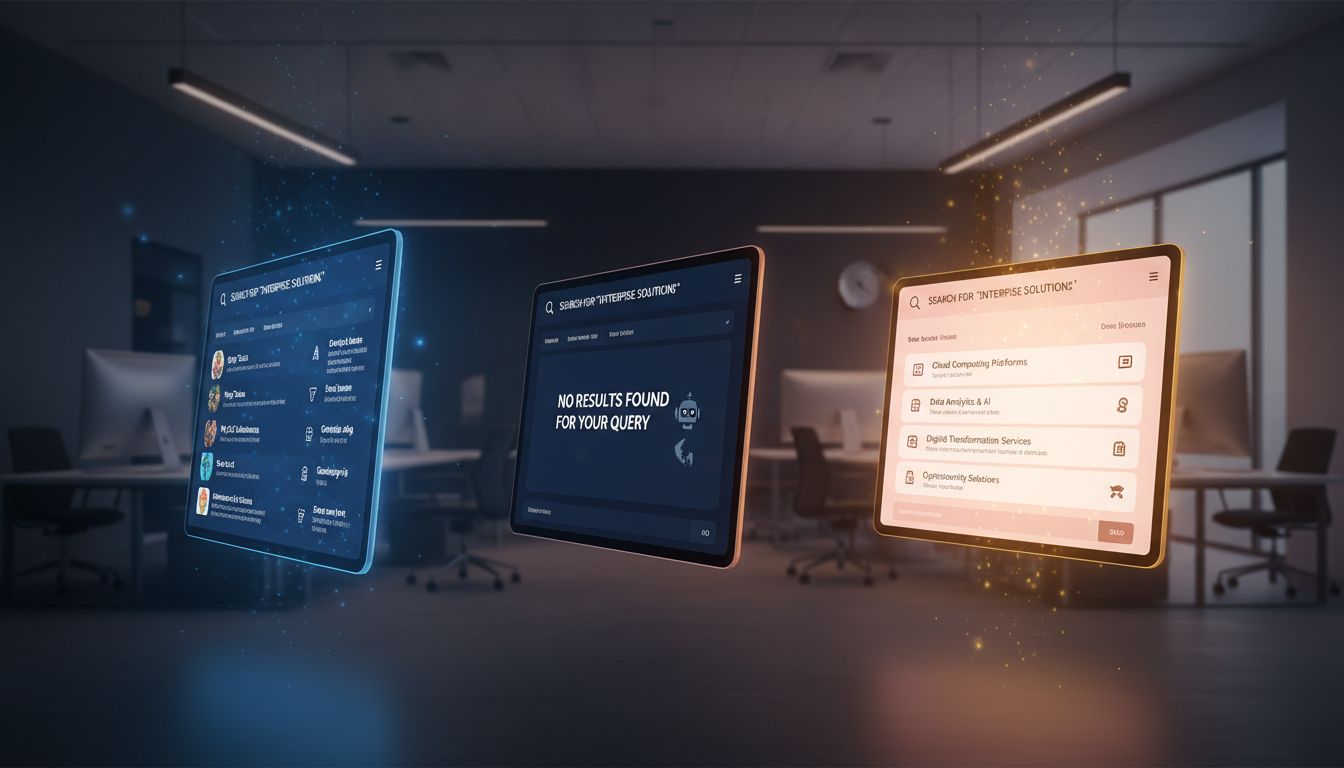
Three reasons why your content remains invisible
It’s not a quantity problem. It’s a discoverability problem.
Information architecture sacrificed on the altar of design
Agencies—ours included, in our early years—tend to build beautiful sites before building logical ones. We optimize the site structure to look good on the wireframe, not so that a business owner visiting for the first time can find the answer to their question in 15 seconds.
Result: five-level menus that no one descends, solution pages that talk about everything and nothing, and blog content inaccessible from service pages even though it answers exactly the questions prospects have.
Internal search treated as a gadget
On most WordPress or PrestaShop sites we audit, the internal search is either the default native widget (which only searches in titles) or absent. It’s a project no one prioritizes because it’s invisible in performance reports.
And yet: according to data collected by the Nielsen Norman Group, users who use internal search have significantly higher purchase intent than visitors who navigate manually. These are your hottest prospects. And you’re offering them a broken engine.
Content designed for Google, not the human who arrives
Here’s the full paradox: you optimize your pages to be found on Google, but once the visitor arrives, they face content structured for an algorithm, not for them. H2 headings are stuffed with keywords, introductions beat around the bush, practical information is buried in filler text.
Users don’t read. They scan. And if the answer to their question doesn’t appear in the first five seconds of scanning, they leave.
What the rise of AI changes in the equation
This is where it gets really interesting.
Since the emergence of conversational interfaces—ChatGPT, Perplexity, AI summaries from Google—search behavior is evolving. Users formulate complete questions, expect synthesized answers, and are increasingly intolerant of trial-and-error navigation.
In other words: if your site doesn’t answer a specific question clearly and quickly, AI will do it for you. And it might cite your competitor instead.
What we concretely see with clients who have well-structured and well-written sites: they’re beginning to appear in answers generated by AI tools. Not because they did “AI SEO”—still a very fuzzy concept—but because they have clear, organized, accessible content that directly answers real questions.
Discoverability is no longer just a Google issue. It’s a survival issue in an ecosystem where multiple competing interfaces are simultaneously seeking to answer your potential customers.

The durable patterns that really change things
No revolution. Sound fundamentals well executed.
Make content discoverable from within
First concrete action: audit your own pages as if you were a visitor arriving for the first time. Ask yourself: if someone searches for “how to choose a [your service]”, does your site give them the answer in less than two clicks?
If the answer is no, you have an internal linking problem. Your blog articles should point to your service pages. Your service pages should link to practical resources. Each page should anticipate the next question the visitor has.
We do this internal linking work systematically on every project we deliver. It’s not spectacular. But it’s what makes a site continue working six months after launch.
Improve internal search without excessive budget
For a WordPress site, Elementor Search or FiboSearch give you decent internal search for under £80. For PrestaShop, the native advanced search module in version 9 is significantly better than what we had before.
The idea isn’t to build an Amazon-scale search engine. It’s to make sure that when someone types “shipping” or “refund” or “contact”, they find something useful immediately.
Design for scanning, not reading
Your visitor doesn’t read your page. They scan it in an F or Z pattern, their eyes looking for visual anchors: headings, bold numbers, short lists, summary boxes.
If your answer to a practical question is buried in the third paragraph of a 400-word section, it doesn’t exist for them.
Simple rule we apply at GDM-Pixel: the main answer on a page must be visible without scrolling. The rest develops, argues, convinces. But the central answer is at the top.
Accessibility is not optional—and it impacts your SEO
A point that agencies too often overlook in budget briefs.
An accessible site isn’t just one that people with disabilities can use. It’s a site that indexing robots—Google, but also AI agents—can read and understand correctly.
Alt tags on your images, logical heading hierarchy, sufficient contrast, keyboard navigation: all of this contributes to both human experience and machine readability of your content. It’s the same work. And it doesn’t cost more if you integrate it from the design phase rather than as a fix afterwards.
According to the Web Content Accessibility Guidelines (WCAG), basic criteria are within reach of any serious agency. It’s not an abstract regulatory constraint—it’s an indicator of technical quality.
“An accessible site is a site that was built with care. And Google knows it.”

What this looks like concretely on a GDM-Pixel project
On the projects we’ve worked on in recent months with our Astro + Tailwind stack, we systematically integrate three elements that many agencies treat as optional:
Semantic structure from the wireframe. Not “we’ll look at the tags after design”. Heading hierarchy, content zones, quick answer blocks—all decided before the designer opens Figma.
Automated internal linking. Via our Claude Code workflow, we automatically generate internal link suggestions from existing content. What took two hours of manual review now takes fifteen minutes of verification.
Accessibility metadata in the generation pipeline. When Nova Mind generates content, image alt-texts are produced at the same time as the text. Not as an option. Not as an afterthought.
Result: sites that are discoverable from day one, not after six months of corrective optimization.
Three things to do this week
No grand redesign. Measurable actions.
1. Test your own internal search. Type five questions your customers ask you regularly. Look at what your internal engine returns. If the results are bad or non-existent, you know where to start.
2. Check your internal linking on your three most-visited pages. Does each page offer at least two internal links to complementary content? If not, add them manually this week. It’s free and takes an hour.
3. Open Google Search Console and look at “zero-click” queries. These are searches where you appear but no one clicks. They tell you exactly what question your visitors are asking—and that your page isn’t answering well enough to trigger a click.
Conclusion: Discoverability is skill, not magic
The internal search paradox isn’t a technical problem. It’s a methodology problem.
Sites that perform in 2025 aren’t necessarily the most beautiful or most technologically advanced. They’re the ones that clearly answer real questions, guide the visitor to the next logical step, and are readable by both a busy human and an AI agent looking for reliable sources.
After 15 years of building sites, what’s changed with AI isn’t the fundamentals. It’s the demand. A poorly structured site had a half-life of two or three years before its shortcomings became critical. Today, that half-life is measured in months.
Is your current site discoverable from within? Or are you losing your visitors to Google every day without knowing it?
If you want us to concretely audit the discoverability of your site—architecture, internal linking, search, accessibility—contact GDM-Pixel. We tell you what’s wrong, without selling you a redesign if it’s not necessary.
GDM-Pixel — Web agency. We build sites that work for you, not the other way around.