+33-9-7266-3068
 contact@gdm-pixel.fr








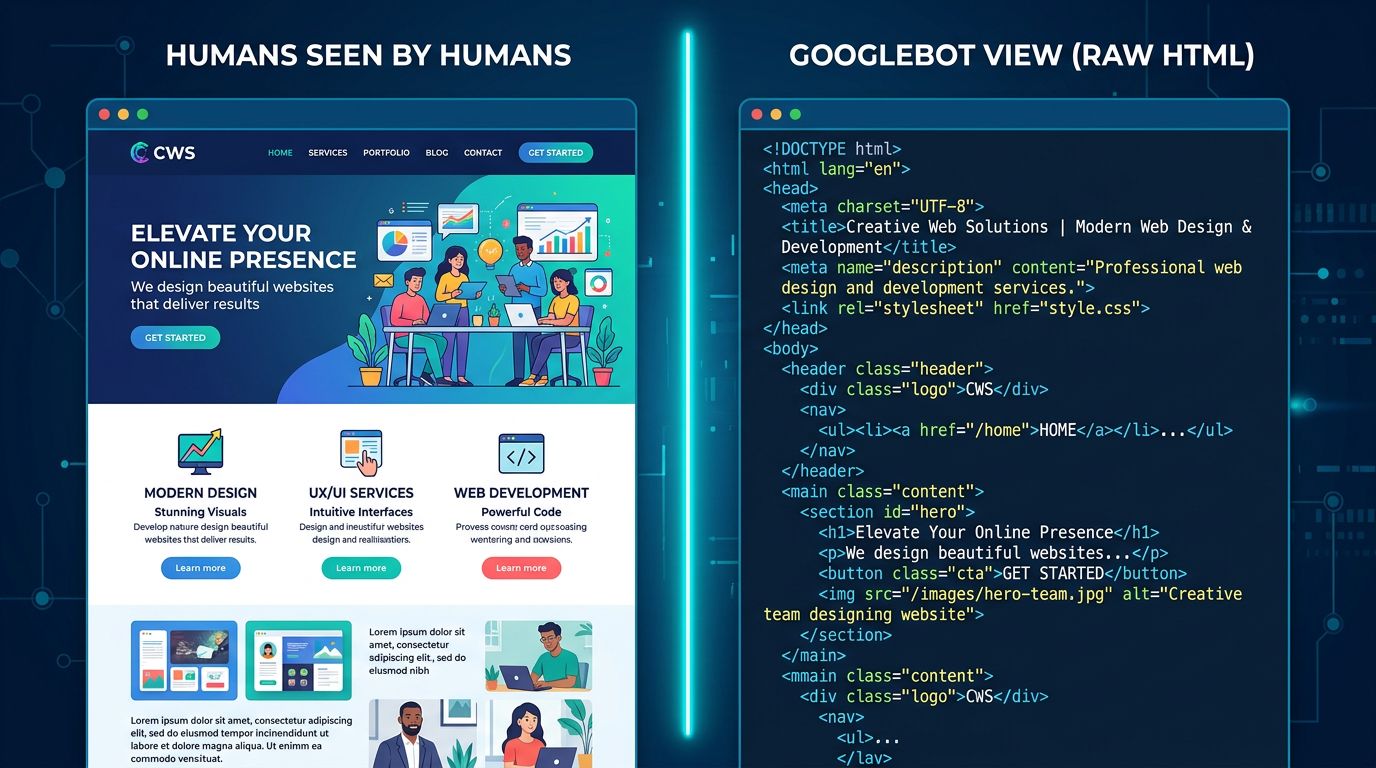
A bot crawls your site every few weeks. It doesn’t read like you do. It can’t “see” your images. It doesn’t understand your layout. It analyzes code, follows signals, and makes decisions in milliseconds — and these decisions determine whether your content appears on page 1 or nowhere at all.
Most SMB owners think SEO is just about keywords and content. That’s partly true. But there’s a layer beneath that few people ever see: the technical conversation between your site and Google. A silent dialogue, with its own rules, its own constraints, and its own misunderstandings.
Here’s how it works — and how to make sure Google understands you correctly.
How Googlebot Crawls Your Site (and Why It Has Limits)
Googlebot is not infinite. This is something few agencies will tell you plainly.
Every website receives what’s called a “crawl budget” — an allocation of resources that Google dedicates to exploring your pages. The faster your site is, the better structured it is, and the more consistent it is, the more pages Google crawls during each visit. The slower your site is, the more redundant it is, or the more confusing it appears, the more pages Google misses.
For a small business with a 10-page site, this isn’t a critical issue. But for a PrestaShop store with 500 products, a news site with 300 articles, or a multilingual site — it becomes a real concern.
Here’s what Googlebot actually does: it lands on a URL, downloads the HTML, extracts internal links, follows them, and repeats. It has a time limit per session, a data limit per request, and it prioritizes pages it considers “important” — based on internal links, server response speed, and content freshness.
What this means for you: if you have orphaned pages (with no internal links pointing to them), Googlebot will probably never find them. If your server takes 4 seconds to respond, it will crawl fewer pages each visit. If you have hundreds of automatically generated URLs from filters or sorting parameters — you’re wasting its budget on pages with zero value.
The basic rule: make Googlebot’s job easier. Every obstacle you put in its way means one fewer page gets indexed.
Canonical Tags: Telling Google Which Version of Your Page Is the Real One
Here’s a classic scenario we see regularly with e-commerce clients.
The same product page is accessible through three different URLs:
mysite.com/product/leather-shoesmysite.com/product/leather-shoes?color=brownmysite.com/product/leather-shoes?sort=price
To Google, these are three separate pages. Three pages with nearly identical content. Result: duplicate content, diluted SEO value, confusion about which version to rank.
The canonical tag solves this problem. It goes in the <head> of your page like this:
<link rel="canonical" href="https://mysite.com/product/leather-shoes" />Translation for Google: “No matter how you got here, the authoritative version is this one.” It’s a clear directive, an established convention that Google respects in the vast majority of cases.
“The canonical tag is one of the most underutilized signals by SMBs. It costs nothing to implement and can clarify duplicate situations that have been hurting rankings for years.” — John Mueller, Google Search Relations
What we see concretely with clients: PrestaShop or WooCommerce sites that automatically generate dozens of URL variations for each product, without canonical tags. Google indexes everything, gets lost, and ends up ranking no version correctly.
The solution: implement canonicals at the CMS level, once and for all. On PrestaShop, it’s natively configurable. On WordPress with Yoast or Rank Math, it’s automatic if properly set up. On a custom site, it’s 30 minutes of development.
Structured Data: Speaking Google’s Language
There’s what your visitors read. And there’s what Google understands.
A human sees “Open Monday to Friday, 9am-6pm, 02 31 XX XX XX” and immediately understands that’s a business hour and phone number. Google sees plain text. It can make educated guesses — and it’s improving — but it can also get it wrong.
Structured data (schema.org) is a standardized markup language you inject into your HTML code to explicitly tell Google: “this text is an address”, “this number is a 5-star rating”, “this date is a publication date”. No guessing. Certainty.
Why does this matter? Because structured data triggers “rich snippets” — those enhanced search result displays that show stars, prices, FAQs, events. And these rich snippets improve click-through rate, sometimes significantly.
A few concrete examples for SMBs:
For a Restaurant or Hotel
The LocalBusiness schema with hours, address, cuisine type, price range. Google can display these details directly in search results — users don’t need to click through.
For a Freelancer or Service Provider
The Service schema combined with Review if you have customer testimonials. Star ratings in search results catch the eye immediately.
For a Content or Blog Site
The Article schema with publication date, author, featured image. Google better understands content freshness — a quality signal for current topics.
For an Online Store
The Product schema with price, availability, reviews. Your products can appear directly in Google Shopping without a paid campaign.
Technical implementation works either through JSON-LD (recommended by Google — a code block in the <head> or footer), or through microdata attributes directly in your HTML. JSON-LD is cleaner and more maintainable.
Silent Errors That Sabotage Your Dialogue with Google
After 15+ years of technical audits, certain problems come up repeatedly. They’re invisible to the human visitor. They’re catastrophic for SEO.
Redirect chains. Your old URL redirects to a second URL that redirects to a third. Each hop costs crawl budget and dilutes SEO signal transmission. Simple rule: one direct redirect, period.
Content Locked in JavaScript. If your main content loads via JavaScript and your server doesn’t render it server-side (SSR), Googlebot might never see it. It sees a blank page. This is common with certain modern frameworks configured incorrectly.
Pages Set to Noindex by Mistake. We’ve seen entire production sites with a <meta name="robots" content="noindex"> tag left over from development. Result: zero pages indexed. Zero traffic. And nobody notices for months.
Outdated XML Sitemap. Your sitemap lists pages that don’t exist, URLs that are 404s, pages that are canonicalized elsewhere. Google wastes time exploring dead ends. A clean sitemap = better crawl budget use.
“A technical audit isn’t a luxury for large sites. It’s basic diagnostics that every site should do at least once a year.” — Gary Illyes, Google
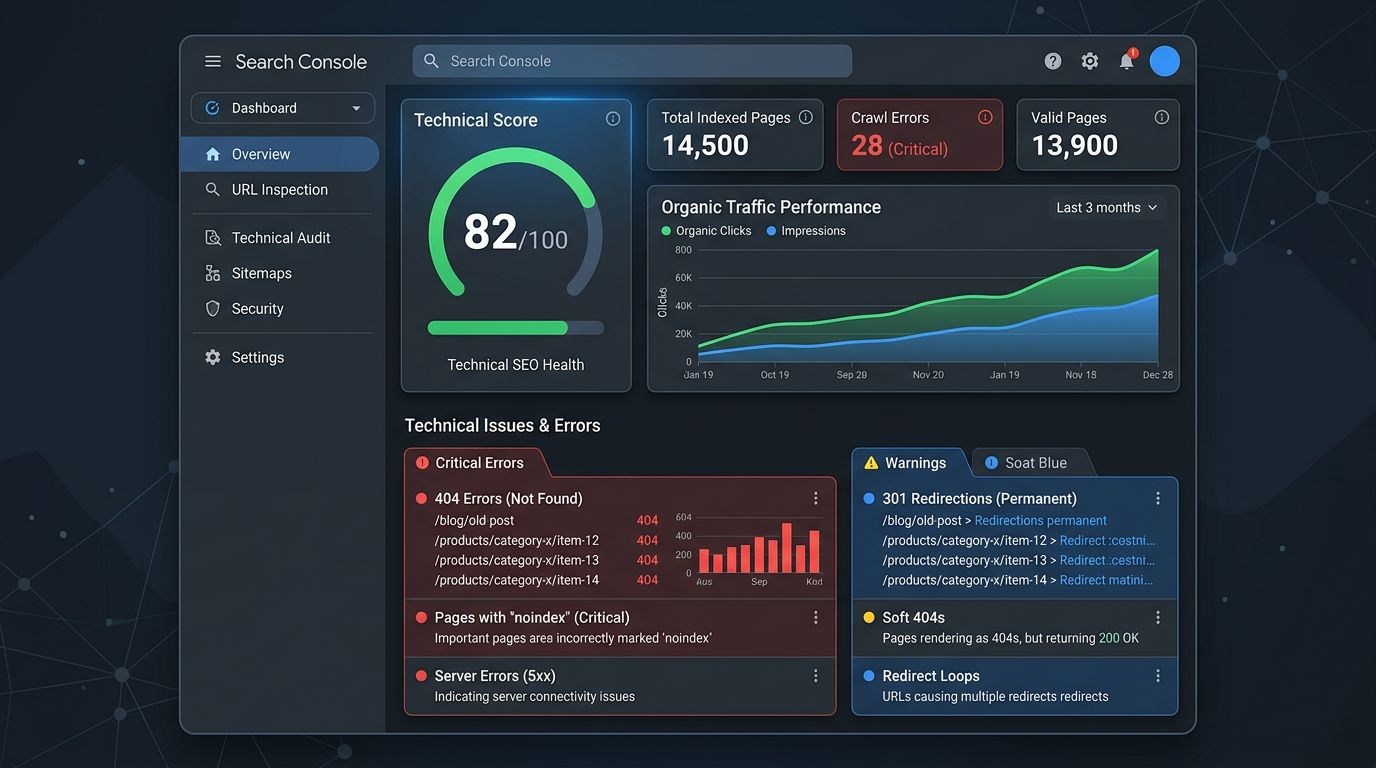
These errors make no noise. Your site continues working normally for visitors. But in that silent dialogue with Google, you’re sending contradictory or interfering signals — and Google draws its own conclusions.
What You Can Check Yourself Today
No developer needed to start. Three quick checks:
1. Test your site in Google Search Console. If you haven’t linked a Search Console account to your site yet, that’s the first step. It’s free, official, and tells you exactly which pages Google has indexed, what errors it’s encountered, and how your site performs in search results.
2. Check your canonical tag on key pages. On your homepage, right-click > View page source, then search for “canonical”. You should see a URL that matches your main address exactly. If you see a weird URL or nothing at all, that needs fixing.
3. Test your structured data. Google offers a free tool: the Rich Results Test. Enter your URL, and it tells you whether structured data is detected and whether it’s valid.
These three checks take 20 minutes. They can reveal problems that have existed for years.
The Technical Dialogue Requires Maintenance
A website isn’t a billboard you plant and forget. It’s a permanent conversation partner with Google — a dialogue that evolves with your content updates, algorithm changes, and structural changes.
That dialogue has its own rules. Respect your crawl budget. Be precise with your canonicals. Speak the language of structured data. Eliminate silent errors.
This isn’t advanced SEO reserved for big corporations. It’s basic maintenance that every professional website should ensure.
The difference between a site that gets found and a site that doesn’t often comes down to these technical details — not content quality, not design, not advertising budget. Just your site’s ability to speak correctly to Google.
Want to Know What Google Really Sees on Your Site?
At GDM-Pixel, we do comprehensive technical audits — crawl budget, canonicals, structured data, silent errors. Not to sell you a redesign. To tell you exactly where the problems are and what deserves fixing first.
Sometimes it’s 2 hours of work. Sometimes it’s more. But we don’t sell you what you don’t need.
Contact us for an honest diagnosis. We tell you what we find — even if the answer is “your site is fine, keep going.”
Key Takeaways
- Googlebot has limits: a poorly structured site wastes its crawl budget and misses important indexations
- Canonical tags are essential the moment you have dynamic URLs or duplicate content
- Structured data isn’t optional if you want rich results — and it’s accessible to any SMB
GDM-Pixel — Web agency in Normandy. We build sites that speak correctly to Google.