Every format
PDFs, scans, Word, Excel and emails.

 Novaanswers from the site's content
 Website designBusiness websites, redesigns and custom sites, built mobile-first.
 AI agencyWhat AI can do for your business, starting now.
 SEOGet found on Google by the right customers, close to you.
 Our workThe websites we've designed for our clients.
 BlogTips, tutorials and news about the web and AI.
 ContactBook a call, send a message, or phone +33 9 72 66 30 68.
Nova is also searching by meaning…
Ask me the question: I'll answer, or pass it on to Charles.
Contracts, invoices, tenders: Nova reads them in full, picks out the amounts, dates and clauses that matter, and flags what deserves your attention.
PDFs, scans, Word, Excel and emails.
With the page each point comes from.
Drive, SharePoint, your document management system, your email.
European hosting, GDPR-compliant.
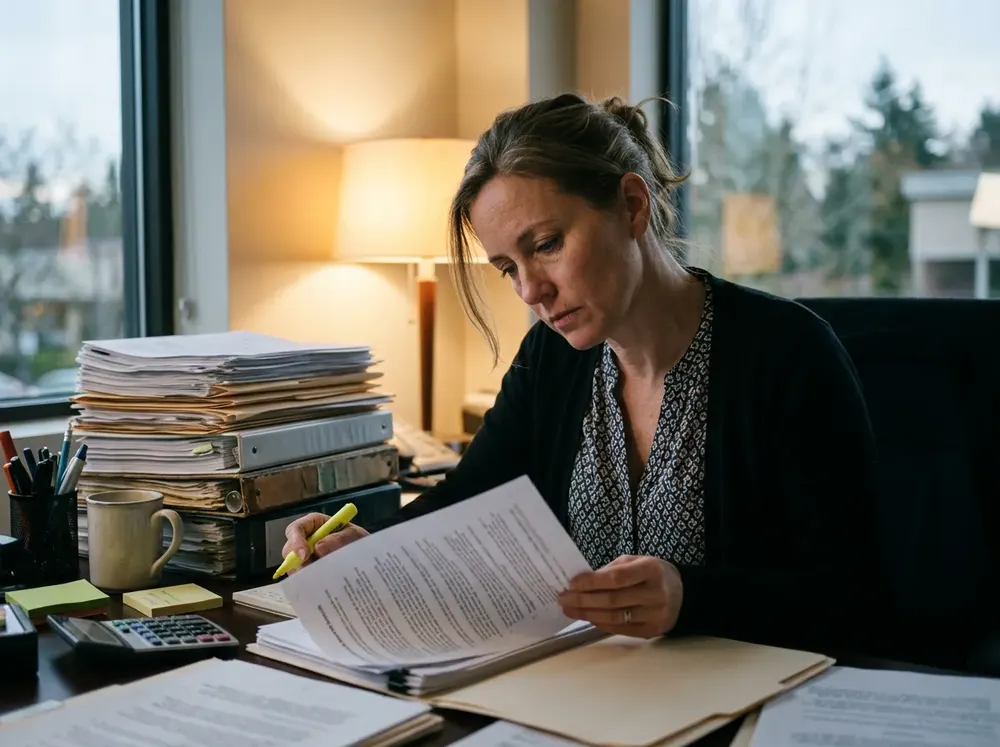
A 30-page contract to find five clauses. An invoice to compare line by line with the purchase order. A tender whose key document hides in an appendix. That's not your job: it's reading.
The document isn't the problem. It's the time it takes to read it. And that's exactly what AI can take on.
A fictional carpentry company in Caen. Pick a document: Nova reads it, picks out the essentials and flags what matters. On the right, what the team sees.
 01 / 04
Before you sign, the essentials on one page.
Nova reads the whole contract: amounts, terms, renewal, notice, penalties. She compares it with your usual conditions and flags anything that differs, with the page where to find it.
 02 / 04
Every invoice compared with what you ordered and received.
Nova matches the invoice, the purchase order and the delivery note. Quantities, prices, VAT, due date: everything is checked. A discrepancy? She flags it and prepares the email to the supplier.
 03 / 04
Decide quickly whether to bid, and forget nothing if you do.
Rules, specifications, appendices: Nova reads the whole file and pulls out the deadline, the criteria, the documents to provide and the hidden requirements. Your team focuses on the response.
 04 / 04
A question, and the answer with its source.
“What price did we give this customer in 2023?” “What does our contract say about penalties?” Nova searches your documents and answers, with the document and the page the answer comes from.
 No need to change tools
You stay in control: Nova picks out and flags, the decision stays yours. Every point links to its page.
Email, shared folders, document management: we connect the AI to the tools you already use. No new software to learn.
We look at the documents that take up your time: contracts, invoices, tenders, meeting notes.
The information to extract, the points to flag and who needs to be notified: we decide together.
Nova reads documents where they arrive: your email, your shared folders, your document management system.
We start with one type of document, check the points picked out together, then expand to the others.
 SharePoint
 OneDrive
 Outlook
A 64-page tender, due in 10 days. Scroll: first by hand, then with Nova.
Bid rejected on day 10
The tender arrives: 64 pages. “We'll read it this weekend.”
Reading starts, then stops: a job comes first.
Rushed reading, at night. The criteria are skimmed.
The document requested on page 47 goes unnoticed.
Bid rejectedA certificate was missing.
With NovaBid submitted on day 7
Nova reads the 64 pages. The summary is ready that same morning.
The document list is shared. The team checks things off day by day.
Site visit done, technical proposal written and reviewed.
Complete fileReviewed by the team and submitted.
3 days ahead
Six tasks done by hand, page after page.Six tasks prepared by Nova. Your team checks and decides.
Your team keeps the decisions. Nova reads the rest. Let's see together which documents cost you the most time.
PDFs, scanned PDFs, Word, Excel, emails and their attachments. For a scanned or handwritten document, reading quality depends on how sharp the scan is.
Yes. They're processed on European servers and are never used to train models. If your requirements call for it, everything can run on a server dedicated to you.
Yes, like a person in a hurry. That's why every point picked out links to the page it comes from: you check in one click. For a high-stakes legal or financial document, the decision stays yours.
Yes. We decide together what to look for in each type of document. A construction contract doesn't have the same sensitive clauses as a services contract.
It depends on your tools and your documents. We start with a single type of document, check together that the right points are picked out, then expand to the others.
Yes. The amounts, dates and names picked out can fill in your CRM, your invoicing tool, a spreadsheet or your calendar, for deadlines you can't miss.
Free AI is ending at Meta. Here's why the social giant is now charging for advanced AI features and selling raw compute — and what it means for the…
Between the EU's AI Act and emergency US suspensions, AI regulation is accelerating. Is your business ready to adapt to these new constraints and…
Google reproduces your translated voice live in 70 languages. The language barrier is falling for SMEs: here's what this disappearing friction…
Meta is rolling out AI agents on WhatsApp, Messenger and Instagram. Google is industrialising AI Overviews. Two parallel moves that place an AI…
Anthropic raises $65B at a $965B valuation, Apple rebuilds Siri: what these two stories concretely change for your SME — a pragmatic take.
Is AI at the heart of your business? Be careful — the legal framework is tightening. Between the AI Act on copyright and CNIL audits, your compliance…
30 minutes by video call: your types of documents, what you look for in them, and what Nova could read for you. No strings attached.
 Next available slot…

Charles Annoni, web project manager