+33-9-7266-3068
 contact@gdm-pixel.fr








 TL;DR - Key Takeaways at a Glance
How many emails do you send per day?
Take thirty seconds and do the maths. You, your sales team, your assistant, your technician. Between 20 and 80 emails per person per day — that’s the average observed in a French SME according to ARCEP data. Multiply by your team, multiply by 250 working days.
That’s tens of thousands of annual touchpoints with your clients, prospects and partners.
And at the bottom of each of those emails? A signature hastily generated three years ago, with your first name, a phone number and maybe a pixelated logo.
Zero-cost marketing channel. Zero exploitation.
That’s what this article is about.
What information architecture has to do with your inbox
Information architecture is the discipline that organises content to guide users toward a desired action. It’s applied to websites, applications, and complex interfaces. But its principles work anywhere a human needs to read and decide.
Your email signature is an interface. A tiny one, admittedly. But an interface nonetheless.
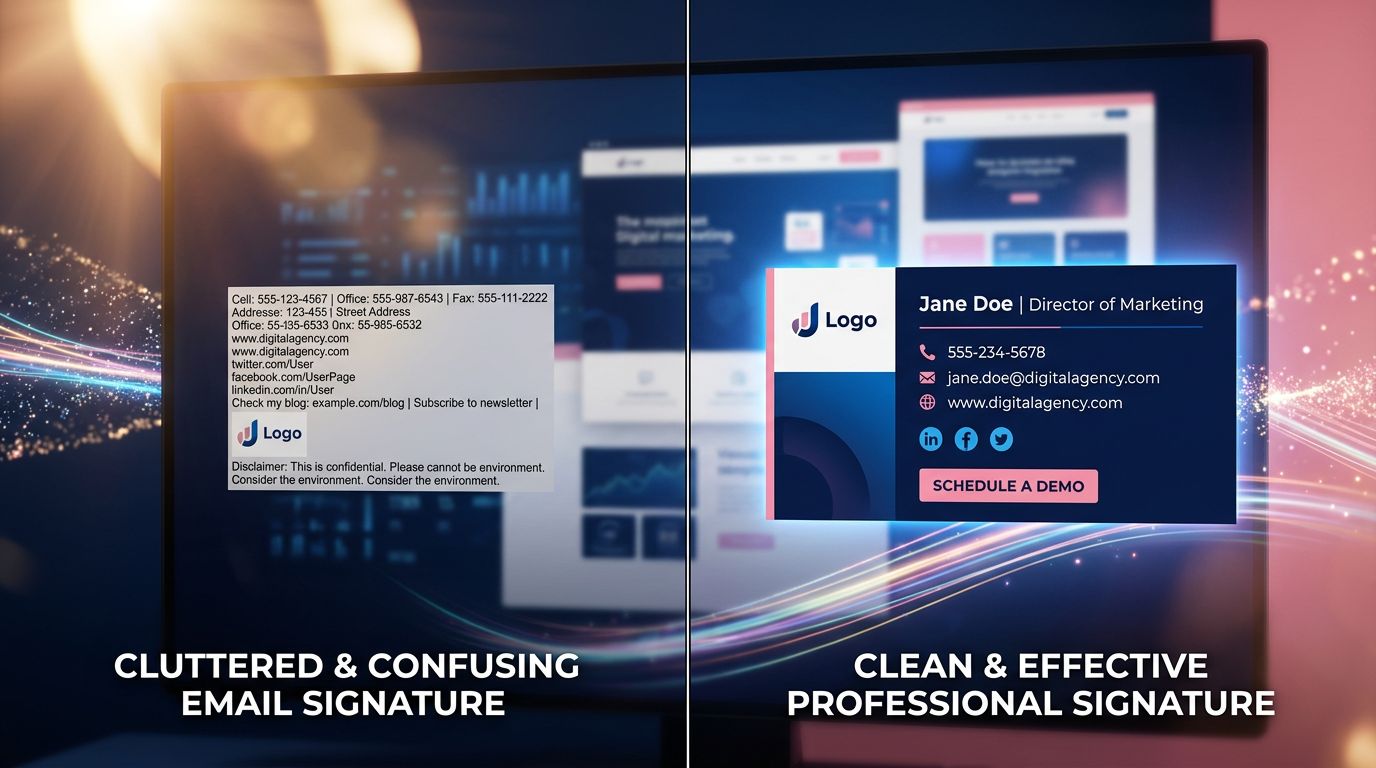
The problem is that 95% of email signatures are built with no user journey logic whatsoever. Information is stacked in whatever order it comes to mind: name, job title, phone, website, logo, legal notices. No visual hierarchy. No clear objective. No invitation to act.
Result: the recipient scans, retains nothing, and moves on.
What we see concretely with our clients is that the signature is treated as an administrative formality. Never as a conversion tool.
The passive sales funnel you haven’t activated yet
Let’s get concrete. A sales funnel is a sequence of guided micro-decisions that takes a prospect from “I don’t know you” to “I want to work with you”. You probably have one on your website — if you’ve already worked on your inbound marketing strategy, you know the principle. Maybe on your social media too.
But in your emails? No. And that’s where it gets interesting.
Unlike a LinkedIn post or a Google ad, email is a context of trust. Your contact has already given you their attention. They’re reading you. They opened your message. The signature arrives at a moment when engagement is at its peak.
That’s precisely where you need to place your call to action.
Here’s the framework I apply to structure an effective signature according to information architecture rules:
Level 1 — Identity (who you are, why you can be trusted). First and last name, precise title, company. Short. Two lines maximum.
Level 2 — Direct contact (how to reach you without friction). One phone number. Not three. One. Ideally clickable on mobile.
Level 3 — Social proof (what builds credibility). A link to a Google review, a professional certification, a concrete figure (“Over 200 projects delivered in Normandy”). Not a list of logos that mean nothing.
Level 4 — Call to action (what you want them to do right now). Just one. Not five. A button or a text link with an action verb and a clear promise.
The absolute rule: one single objective per signature. Do you want them to book an appointment? Download your guide? Visit your latest project? Choose. A signature that tries to do everything achieves nothing.
The mistake 8 out of 10 SMEs make with their signature
Too much information kills information.
This is a fundamental UX principle, and it applies brutally to signatures. I’ve audited dozens of client signatures over the years. The pattern is always the same: visual overload, no hierarchy, zero consistency with the website’s branding.
You’ll find everything jumbled together: landline + mobile + fax (yes, still in 2024), full postal address, five social media icons of which two are inactive, a promotional banner as an inaccessible image, legal notices in 6pt font, and sometimes an animated gif.
“Perfection is achieved not when there is nothing more to add, but when there is nothing left to take away.” — Antoine de Saint-Exupéry
This quote applies word for word to your email signature.
What no agency ever tells you is that simplifying is harder than adding. Deciding what to remove requires genuine strategic thinking. But it’s that choice that makes the difference between a signature that converts and one that clutters.

Segmenting your signatures by audience
Here’s where it gets truly strategic.
You don’t speak the same way to a cold prospect, a loyal client, and a potential partner. Why should your signature say exactly the same thing to all of them?
Signature management tools like Exclaimer, Opensense, or simply rigorous organisation within your email client allow you to deploy differentiated signatures depending on the context.
For prospects: the call to action must reduce perceived risk. A link to your client reviews, an invitation to a free audit, a no-commitment demo.
For clients in active projects: reinforce the relationship. A link to the client portal, direct contact with their account manager, a reminder of the delivery schedule.
For partners and referrers: highlight the collaboration. A link to your partner space, your latest joint projects, access to your co-marketing resources.
Three contexts, three signatures, three different objectives. Same volume of emails sent — but a radically different impact. This is one of the levers we systematically integrate into our web marketing strategies for SMEs.
On projects we’ve run for SMEs, signature segmentation generated direct contacts attributable solely to this lever. No additional advertising budget. Just a reorganisation of what already existed.
The three elements that truly make the difference
After 15 years supporting businesses with their digital presence, I’ve identified three elements that separate an anecdotal signature from one that works for you.
The professional photo
Not a logo. A photo. The human brain processes faces as a priority — that’s neurological, not marketing. A professional photo in a signature increases memorability and humanises the exchange. Particularly decisive in sectors where trust-based relationships are central: consulting, quality craftsmanship, freelance professions, real estate.
The dynamic call to action
Static, a signature is a signpost. Dynamic, it becomes a salesperson who never sleeps. Some tools allow CTAs to rotate by period, ongoing campaign, or sender profile. Launching a new service in January? All your signatures announce it automatically. Running a seasonal promotion? It appears for fifteen days, then disappears.
Click tracking
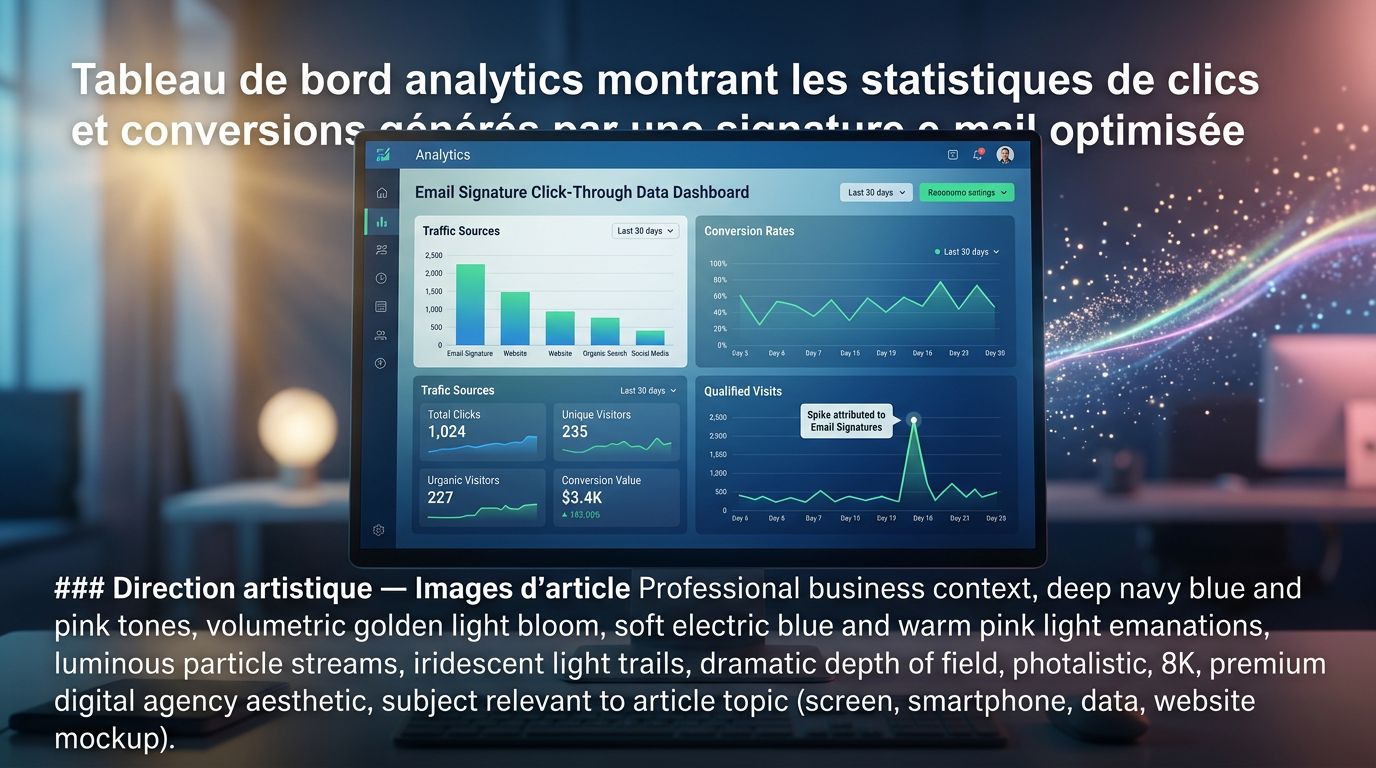
You can’t improve what you don’t measure. Properly configured UTM links in your signature let you see in Google Analytics exactly how many visits, form submissions, and conversions come from this channel. Most SMEs don’t do this. Those that do often discover that the signature is their second or third source of qualified traffic — behind their website, sometimes ahead of their social media.
What this represents in real volume
Let’s do the maths together. An 8-person SME, each sending 30 emails per day. That’s 240 daily emails, 1,200 per week, 60,000 per year. If your signature generates one click to your website or booking page on just 2% of emails sent, you get 1,200 qualified visits per year — from people who already know you, already trust you, and are already in a business relationship context.
How much would that traffic cost you in Google Ads?
That’s the real question.
The email signature is probably the marketing channel with the best effort-to-result ratio that you’re not exploiting. Setup cost: a few hours of work and, depending on the tools chosen, between zero and a few tens of euros per month. Potential: hundreds of additional qualified touchpoints every year.
Three concrete actions to implement this week
No more theory. Here’s what you can do right now.
Action 1 — Audit your current signatures. Ask each team member to forward you a recent email. Look at the signatures. Are they consistent? Do they have a call to action? Are they readable on mobile? Answer honestly.
Action 2 — Define a single objective. What is the next action you want your contacts to take? Book an appointment? Visit a specific page? Download a document? Choose. Just one. And build your new signature around that objective.
Action 3 — Set up tracking. Create a UTM link for your signature (Google offers a free generator) and connect it to your Google Analytics or CRM. In 30 days, you’ll have your first numbers. And your first surprises. If you use AI to produce your marketing content, our comparison of Gemini vs ChatGPT for your web marketing campaigns can save you time when creating your signatures.
Your signature is already working — the question is for whom
Every email you send is an opportunity to reinforce your credibility, guide a prospect to the next step, or remind an existing client of what you can do for them.
Right now, that opportunity is probably being wasted. Not through malice — through lack of method.
Information architecture is not reserved for large digital platforms. It applies to every interface where a human needs to read and decide. Including the eight lines at the bottom of your emails.
If you’d like us to audit your signature and propose an optimised version, that’s exactly the kind of short, high-impact intervention we carry out at GDM-Pixel. No complete overhaul, no astronomical budget. An honest diagnosis and a solution that works from the following week.
Contact us for an email signature audit — we’ll tell you what’s missing and how to fix it.
 Social networks
 Analyze with AI