+33-9-7266-3068
 contact@gdm-pixel.fr








 TL;DR - Key Takeaways at a Glance
What your portfolio says about you before you even speak
A recruiter spends an average of 6 seconds on a CV. On an online portfolio, it’s even less — unless something catches their eye.
The majority of developer portfolios look the same. Same structure. Same “About” section. Same list of skills displayed as coloured badges. Same contact form at the bottom of the page. If you’re using an unmodified generic template, you’re not standing out — you’re blending into the crowd.
The real question: how do you build a portfolio template that remains professional, quick to customise, and makes people want to scroll all the way down?
Here’s what we’ve learned from building and industrialising frontend projects with React, Vite and Tailwind. Technical decisions, mistakes avoided, patterns that actually work.
Why React + Vite + Tailwind is the stack that makes sense in 2025
This isn’t a hype stack. It’s a pragmatic stack.
React for composability. A portfolio is a collection of reusable sections: Hero, Projects, Skills, Contact. React forces you to think in components — and that’s exactly what you need for a customisable template.
Vite for speed. The development startup time is nearly instant compared to Create React App. Reactive Hot Module Replacement, optimised production build, zero unnecessary configuration. On a solo project like a portfolio, every minute of friction counts.
Tailwind CSS for styling efficiency. No need to juggle between a .jsx file and a .css file for each component. Utility classes live directly in the markup. The result: you see the style in the same place as the structure. Customisation is done by changing a few values in tailwind.config.js, not by hunting for CSS variables scattered across 12 files.
The combination of the three delivers a smooth development workflow, a lightweight final bundle, and a base that’s easy to maintain or hand off. For a more content-oriented showcase site, an alternative like Astro and its zero-JS-by-default approach is also worth exploring — each stack has its own playing field.
Project architecture: the decisions that change everything
The first trap with a portfolio template is putting everything in App.jsx. An 800-line file where everything is mixed together — data, logic, rendering. Impossible to maintain. Impossible to customise without breaking everything.
The structure that works looks like this:
src/
├── components/       # Reusable UI components
├── sections/         # Page sections (Hero, Projects, etc.)
├── data/             # Configuration files (JSON or JS)
├── hooks/            # Custom hooks (useDarkMode, useScrollSpy...)
└── assets/           # Images, icons
The separation of data and components is non-negotiable.
All customisation must go through the files in data/. Name, title, projects, social media links, skills — all of that in a config.js or portfolio.json file. Someone who wants to adapt your template should never need to touch a React component.
That’s the difference between a template people actually use and a template people abandon after 20 minutes of frustration.
Concrete example of a configuration file
// src/data/config.js
export const siteConfig = {
  name: "Marie Dupont",
  title: "Full-Stack Developer",
  location: "Caen, Normandy",
  email: "contact@mariedupont.dev",
  bio: "I build fast and accessible interfaces.",
  social: {
    github: "https://github.com/mariedupont",
    linkedin: "https://linkedin.com/in/mariedupont"
  }
}
Clean. Readable. Editable in 2 minutes without touching the React code.
Dark mode: implementing it without creating headaches
Dark mode is expected. On a tech portfolio, not having it is a negative signal.
But implementing it with Tailwind requires an architectural decision from the start: class strategy or media strategy.
The media strategy automatically follows system preferences. Simple, but you lose user control — no way to add a toggle.
The class strategy is the right approach for a portfolio. You add or remove the dark class on the <html> element, and Tailwind applies the dark: variants. The user can switch manually, and the preference is persisted in localStorage.
// src/hooks/useDarkMode.js
import { useState, useEffect } from 'react'

export function useDarkMode() {
  const [isDark, setIsDark] = useState(() => {
    return localStorage.getItem('theme') === 'dark' ||
      window.matchMedia('(prefers-color-scheme: dark)').matches
  })

  useEffect(() => {
    document.documentElement.classList.toggle('dark', isDark)
    localStorage.setItem('theme', isDark ? 'dark' : 'light')
  }, [isDark])

  return [isDark, setIsDark]
}
This hook does exactly what’s needed. Nothing more. That’s the principle: don’t over-engineer.
In tailwind.config.js, remember to enable:
darkMode: 'class'And in your components, the dark: classes do the rest:
<section className="bg-white dark:bg-gray-900 text-gray-900 dark:text-white">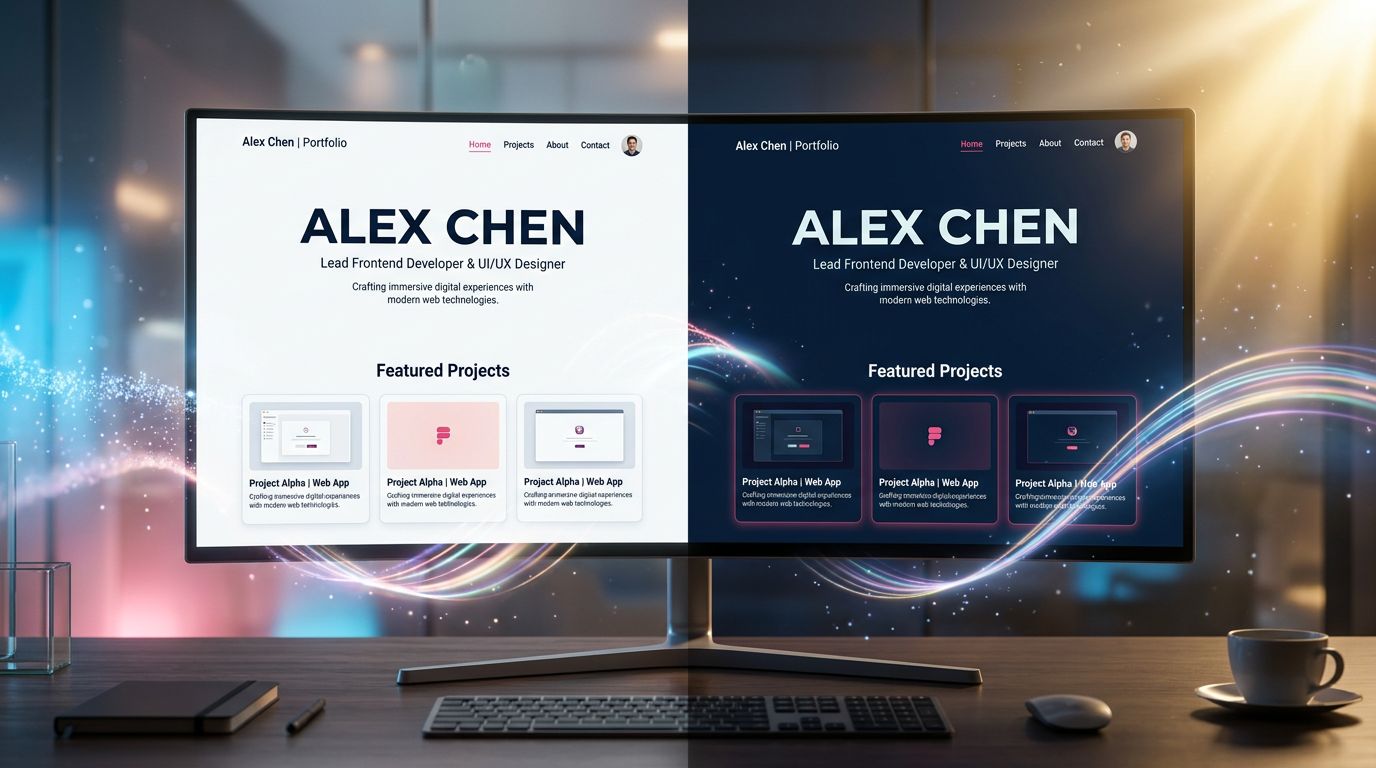
Responsiveness: truly thinking mobile-first
“Mobile-first” is a principle everyone knows and half of developers apply backwards.
With Tailwind, mobile-first is concrete: you write the base styles for mobile, then add breakpoints for larger screens using the sm:, md:, lg: prefixes.
<div className="grid grid-cols-1 md:grid-cols-2 lg:grid-cols-3 gap-6">One recurring pitfall: images. A 1920px Hero image loaded on mobile means 3 lost seconds of loading time. Always use the WebP format, and take advantage of the <picture> component or srcSet props to serve the right size for the right screen.
On a portfolio, performance is also a demonstration of skills. A Lighthouse score below 90 is an argument against you. Web design and modern CSS trends also show how to achieve polished effects without bloating the rendering.
“A site’s speed is not just a technical criterion — it’s a business argument. Google measures it, users feel it, and your potential clients draw conclusions about your professionalism.” — What we’ve been telling our clients for 15 years at GDM-Pixel.
Classic mistakes we see too often
After auditing and refactoring dozens of frontend projects, the same mistakes come up.
Animation for animation’s sake. Transitions on every element, scroll effects everywhere, particles in the background. The result: the portfolio is slow, distracting, and gives the impression that the developer doesn’t know how to make choices. Less is more. One well-placed animation is worth 10 random ones.
Hard-coded data in components. We mentioned it, but it’s so common it’s worth repeating. If your title is written directly in the Hero component’s JSX, your template isn’t a template — it’s a personal site in disguise.
No state management for the contact form. A form without visual feedback (loading, success, error) is poor UX. Use useState to manage form states. Integrate a service like Resend, EmailJS or Formspree for sending — no custom backend needed.
Lack of accessibility. Missing aria-labels on icons, insufficient contrast between text and background, impossible keyboard navigation. On a developer portfolio, this is particularly visible — and particularly poorly received by someone who is hiring.
Quick customisation: what must be configurable
A good portfolio template should allow someone to customise it completely in less than an hour. Here’s what absolutely must be in the configuration files, not in the code:
The main colour palette. In tailwind.config.js, define a primary colour that propagates everywhere:
theme: {
  extend: {
    colors: {
      primary: '#6366f1', // Just change this line
    }
  }
}
Fonts. Google Fonts imported in index.css, referenced in the Tailwind config. Changing a font = two lines modified.
Projects, skills, experience. All in arrays in data/. Adding a project = adding an object to an array. Nothing more.

What this type of project really teaches you
Building a portfolio template with this stack is an excellent exercise in discipline.
You’re forced to make architectural decisions on a small-scale project. Separation of concerns, state management, accessibility, performance — all within a manageable scope. It’s the best learning ground.
Three concrete takeaways:
1. Configuration before code. The more your template can be configured without touching React code, the more value it has. For you and for others.
2. Performance is not optional. On a tech portfolio, a slow site is a direct counter-argument to your skills. Vite + optimised images + minimal code splitting is the baseline.
3. Dark mode and responsiveness are not bonuses. They are baseline requirements in 2025. Implementing them from the start costs less than adding them later.
Conclusion: a template is a product — treat it as such
A developer portfolio is not just a showcase. It’s an active demonstration of your technical choices, your sense of organisation and your attention to detail.
With React, Vite and Tailwind, you have all the tools to deliver something clean, fast and truly customisable. The stack isn’t the challenge — it’s the architecture and design system decisions that make the difference.
At GDM-Pixel, we apply these same principles on our client projects: data separation, reusable components, centralised configuration. What works on a portfolio works on a business application, and it’s exactly the rigour we put into every professional website creation. That’s why we’ve industrialised our workflow around these patterns.
Are you working on a frontend project and looking to structure your stack or accelerate your production? Talk to us — we’ll take a concrete look at what can be optimised in your workflow, without selling you a full rebuild if it isn’t necessary.
Sources and resources to go further: Official Vite documentation, Tailwind CSS Dark Mode, React documentation — Thinking in React
 Social networks
 Analyze with AI