+33-9-7266-3068
 contact@gdm-pixel.fr








The clean row that hides a dirty problem
A client reached out to us a few months ago. They had set up a scraper to monitor competitor prices — about fifty references, nothing too complex. The script ran every night, the data landed in a Google Sheet, and everything looked perfect.
Nicely filled rows. No errors. No empty fields.
Except their prices had been systematically below market for three weeks. They were losing margin without understanding why.
The scraper had pulled the right URLs. It had parsed the right CSS selectors. It had returned clean numeric values. And yet — it was pulling prices from the cached version of the competitor’s site, not the real-time prices. The competitor had changed their client-side rendering structure. The scraper, however, had seen nothing.
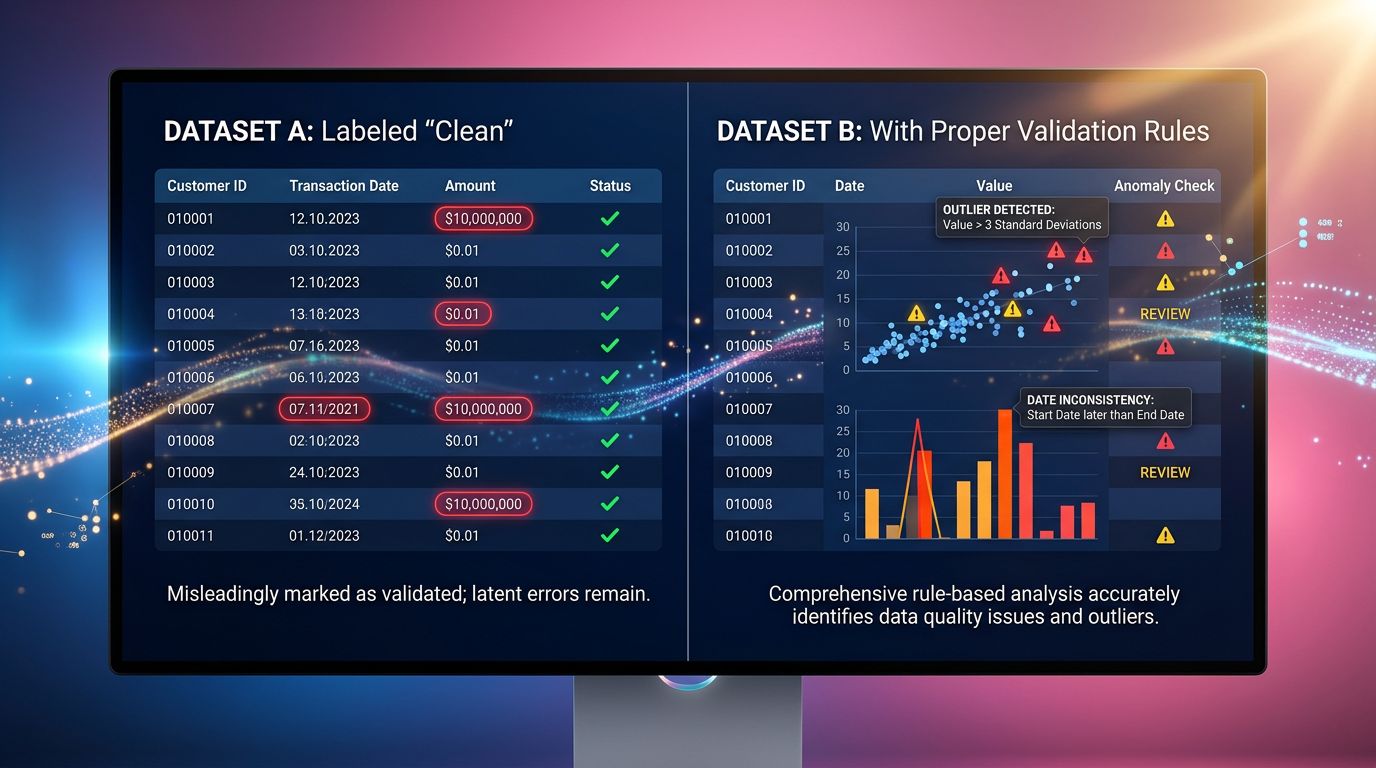
A clean row doesn’t mean a correct row.
That’s pitfall number one in data scraping. And if you automate business decisions based on this data — pricing, competitive intelligence, stock monitoring — you may have been flying blind for weeks.
Why your scraper lies to you with a smile
The problem with poorly validated scrapers is that they don’t crash. They deliver. Regularly, cleanly, without raising the slightest exception.
Here are the scenarios we most often run into in our audits:
The CSS selector that survives the death of the right content. The target site updated its template. The old div.price still exists — but now contains a default value, a placeholder, or worse, a zero. Your script picks it up without flinching.
Delayed JavaScript rendering. More and more sites load their prices, stocks or descriptions via asynchronous API calls. A basic scraper based on requests + BeautifulSoup grabs the initial HTML — before JavaScript has had time to populate the fields. Result: empty tags or fallback values. Clean. Wrong.
Geolocated or personalized content. The site detects your IP, your user-agent, or the absence of a session cookie. It serves you a stripped-down version, a redirect page, or a different offer from what a real customer sees. Your scraper doesn’t know it’s in the waiting room while real customers are already at the table.
Silent rate limiting. Some sites don’t block your scraper — they slow it down and serve it degraded data. No 429 error, no timeout. Just approximate or stale values. Undetectable if you don’t actively validate the returned content.

What “validating a row” actually means
Data validation often gets reduced to: “is the field empty?” That’s necessary. It’s far from sufficient.
Here’s what serious validation must cover:
Check plausibility, not just presence
A price at 0.00€ is a present value. It’s also an absurd value for 99% of catalogues. A price of 99999€ for a product that was worth 49€ last week deserves a flag, not a silent insertion into the database.
Set up business plausibility rules. For an e-commerce catalogue, it looks like:
- Price > 0 and < max_threshold_category
- Variation vs previous value < X% (alert if exceeded)
- Unit consistent with the category (no prices in cents where euros are expected)
This isn’t complex development. It’s business logic translated into conditions. But it requires knowing your data — and that’s where many scraping projects fail right from the start.
Check the page context, not just the target field
Before extracting your target value, check that you’re on the right page. It sounds obvious. It’s not in production.
A few checks to systematically integrate:
- Does the page title match the expected product?
- Is the HTTP response code really a 200 (and not a 200 in disguise hiding a custom error page)?
- Does the DOM structure match what you expect — at least on the structural elements?
A site that returns a “Product unavailable” page with a 200 status and an empty price field at 0 — your basic scraper will swallow it without batting an eye.
Timestamp and version your data
Every extracted row should carry an extraction timestamp and, ideally, a hash of the raw page content. Why?
Because when you detect an anomaly three weeks later, you need to know how long it’s been there. And if the site changed its structure, you want to be able to compare the HTML from before and after.
Without history, you debug blind. With even minimal history, you have a thread to pull.
The real cost of fake data that looks correct
Back to our client. Three weeks of under-aligned prices on fifty references. On some high-margin references, the gap was 8 to 12%.
We won’t do the exact math here — those numbers belong to them. But the order of magnitude is several thousand euros in lost margin. On a data pipeline that ran perfectly, without any alerts, without any error logs.
“The worst bug isn’t the one that crashes your system. It’s the one that keeps it running while giving you the illusion that everything’s fine.”
This applies to scraping. It applies to any automated data pipeline — EDI flows, ERP synchronization, accounting exports. Silently incorrect data is infinitely more dangerous than a loud error.
A loud error gets fixed within the day. A silent error gets discovered during an audit, a year-end report, or when a customer flags a problem you should have seen weeks ago.
How we structure a scraper that distrusts itself
In our automation projects — whether for competitive intelligence, content aggregation, or catalogue synchronization — we’ve learned to build paranoid-by-design scrapers.
Here are the principles we apply systematically:
Separate extraction from validation
Never insert extracted data directly into the database or a business flow. Always go through an intermediate validation step — even a minimal one. Extraction → staging → validation → production.
Define a “data contract” before coding
Before writing the first line of code, document what you expect: types, formats, value ranges, dependencies between fields. This contract becomes your validation spec. If your data doesn’t honour the contract, it doesn’t pass.
Log anomalies, not just errors
A null field is an error. A zero price on an active product is an anomaly. A price that jumps 300% overnight is an anomaly. Your logs must capture both levels — and alert you differently based on severity.
Plan for a “quarantine” mode
Rows that fail validation are not deleted — they go into quarantine with the rejection reason. You can then analyse them, understand if it’s a bug in your scraper or a real change on the source side, and decide with full knowledge.
Test with known data
Before deploying to production, test your scraper on pages whose exact values you know. Compare the extracted result with the expected value. It’s basic. It’s often skipped. And it’s what lets you detect JavaScript rendering or personalization issues before they hit production.
The three reflexes to adopt right now
If you have an automated data pipeline in production — scraper, EDI flow, API sync — here’s what I recommend you check this week:
Reflex 1: Audit your historical data. Take the last 30 days. Look for zero values, identical values over suspicious periods, abnormal trend breaks. If you can’t run this audit because you have no history — that’s your first project.
Reflex 2: Add a plausibility rule on your critical fields. Just one. The one that protects your most sensitive business decision. Price, stock, availability status — pick one and harden it.
Reflex 3: Set up an alert on abnormal variations. No need for a complex system. A simple script that compares today’s value with the median of the last 7 days and sends you a Discord message if the gap exceeds a threshold. We’ve set this up for several clients in less than two hours.
What this changes in practice
A scraper that distrusts itself means more development time upfront. It also means much less time spent debugging production anomalies, explaining to a client why their data was wrong for three weeks, or manually rebuilding what should have been automated properly.
In our agency, we’ve made the choice to integrate these validation layers from the design phase — not as a retrofit. It extends the specs by 20%. It divides production incidents by a factor we no longer really want to calculate.
Clean data is an illusion if you don’t define yourself what “clean” means.
Your scraper doesn’t know what a coherent price is for your catalogue. Your EDI flow doesn’t know that negative stock is impossible in your business. Your API sync doesn’t know that this particular field should never be empty.
You do. So encode it.
Do you have an automated data pipeline and want to check whether it’s actually reliable? We run targeted technical audits — not full rebuilds when they aren’t needed. Contact GDM-Pixel for an honest diagnosis. We’ll tell you what holds up and what deserves to be hardened.
 Social networks
 Analyze with AI