+33-9-7266-3068
 contact@gdm-pixel.fr







 TL;DR - Key Takeaways at a Glance
In 1984, the first click changed everything
Forty years. That’s how long this question has remained unanswered.
In 1984, Apple introduced the Macintosh with a simple promise: what you see on screen is what you get on paper. The WYSIWYG paradigm — What You See Is What You Get — was born. A few years later, it swept through web creation. Dreamweaver, FrontPage, then WordPress, Wix, Webflow… The promise never changed: create without coding.
Forty years on, the debate is still unsettled. And yet, something has fundamentally shifted in workshops and web agencies in 2024.
Here’s what we actually see on the ground — and why the real question is no longer “code or visual interface”, but “which one for which use case, at which point in the project”.
The story of a false duel
Ask any web developer from the 2000s: Dreamweaver or Notepad? You’ll get a decisive answer, often passionate, sometimes dismissive.
“Pure” developers looked at visual tools as spaghetti code generators. Designers loved them because they didn’t have to learn CSS. The two camps long ignored — or fought — each other.
What we forget is that this duel was always artificial.
A WYSIWYG tool never claimed to replace a senior developer on a complex application. And a developer who writes everything by hand was never the ideal solution for a small business that just wants to update its “Our Services” page once a month — a trade-off we’ve already examined in detail regarding visual builders for WordPress.
The problem is that both approaches were long presented as mutually exclusive. Either you code, or you use a visual builder. Either you’re serious, or you’re using Wix.
This binary vision has been costly for many projects.
What 15 years of web projects have taught me
On the projects we’ve led at GDM-Pixel, I’ve used both approaches. And above all, I’ve learned when each one breaks.
Visual tools break when:
- The client wants a specific feature the builder doesn’t support
- Performance becomes critical (a bloated Elementor install easily adds 4–6 seconds of load time)
- The data structure is complex (product catalogue with variants, dynamic pricing, ERP integration)
- The project needs to evolve over 5 years without depending on a third-party vendor
Pure code breaks when:
- The client needs to update their own content without calling the agency
- The budget doesn’t justify 3 weeks of development for 5 static pages
- Time-to-market is critical and there’s no luxury of building everything from scratch
This isn’t a matter of religion. It’s a matter of context.
What we concretely observe with our clients: the projects that go best are those where we chose the tool suited to the dominant constraint — not the tool we prefer by default.
2024: the real paradigm shift
Here’s where it gets interesting.
The code vs WYSIWYG opposition was relevant when the two camps were truly separate. That’s no longer the case.
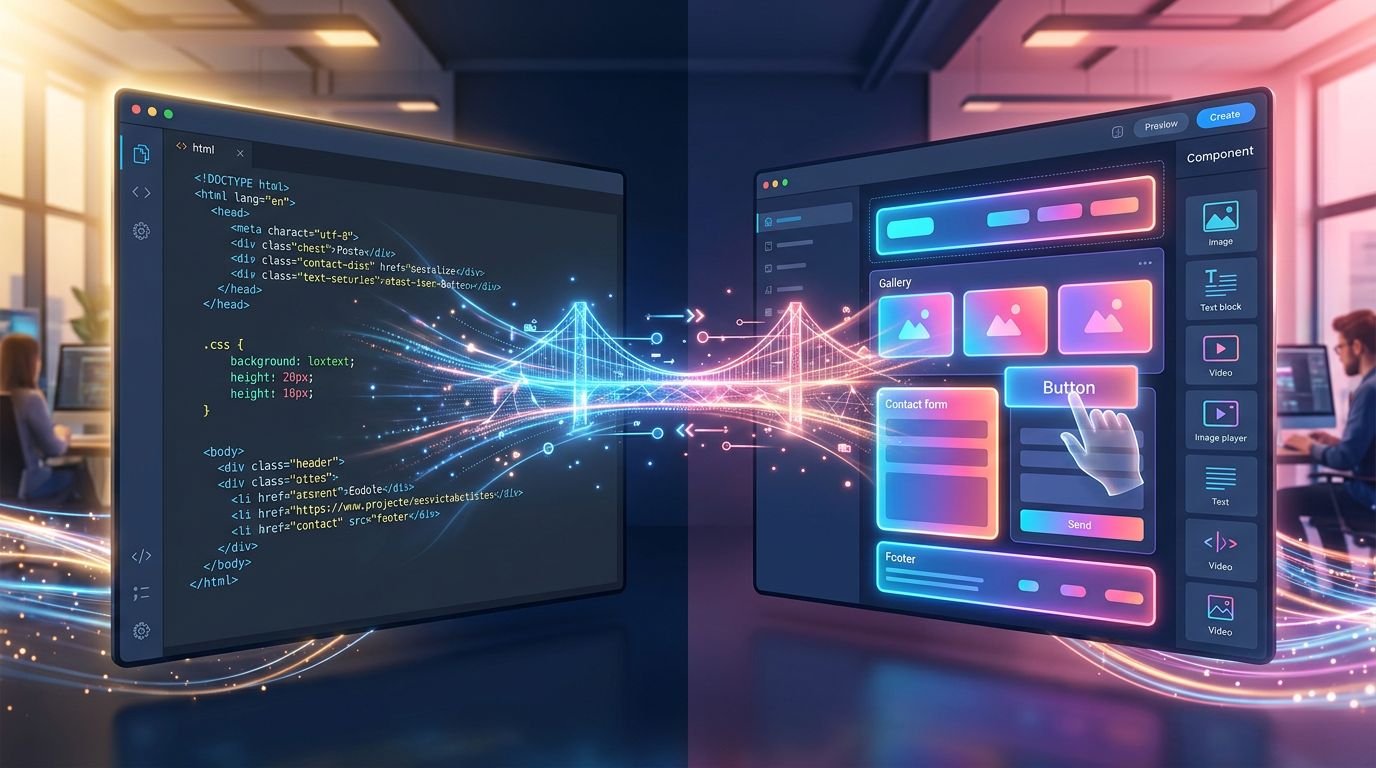
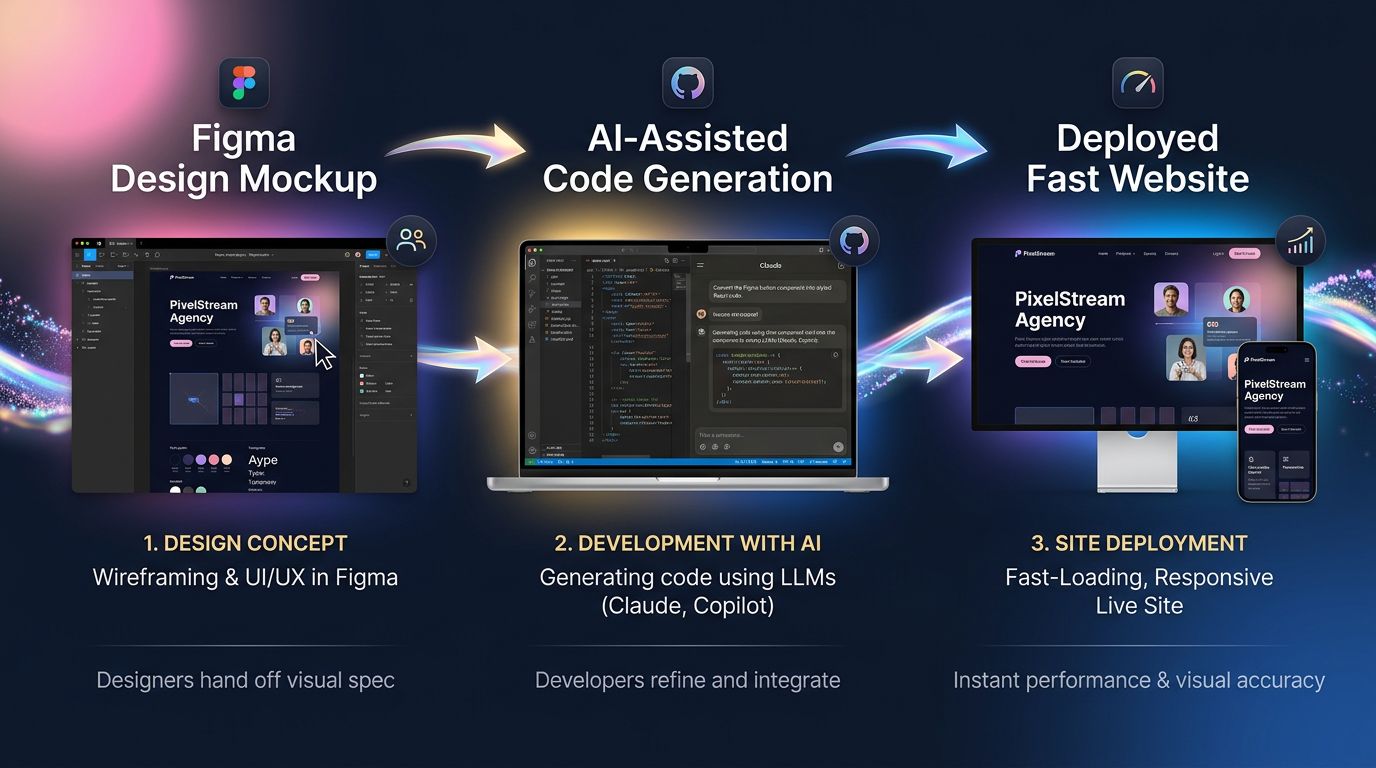
Figma broke the boundary on the design side. You draw visually, but you export design tokens, variables, and a structure that speaks directly to code. Figma components map onto React or Astro components. The gap between “I designed it” and “it’s coded” has shrunk dramatically.
Webflow did the same on the development side. You drag visual blocks, but underneath, the generated code is clean, semantic, and maintainable. It’s no longer the spaghetti code of Dreamweaver 2003.
And above all — AI has changed the rules of the game.
Today, with Claude Code or GitHub Copilot, a developer writing code “by hand” isn’t really writing it by hand anymore. They direct. They validate. They architect. AI generates the 70% of repetitive code. What remains is business logic, architectural decisions, optimisations.
As a result, the boundary between “I code” and “I use a visual tool” has become blurred in both directions.
“The best interface is no interface — but until we get there, the best interface is the one your team actually uses.” — Golden Krishna, The Best Interface Is No Interface
The real hidden cost of each approach
How many hours a week do you spend managing updates on a WordPress site overloaded with plugins?
That’s the question nobody asks when choosing a tool. We look at the creation cost. Rarely at the total cost of ownership over 3 years.
A site built with a mass-market visual builder:
- Fast creation, controlled initial budget
- But: vendor dependency, often degraded performance, limited customisation, painful migrations
- Real cost over 3 years: monthly subscription + time spent working around limitations + rebuild when needs evolve
A custom-developed site with a modern stack:
- Higher initial cost, longer delivery time (unless you’ve industrialised your workflow, see ours below)
- But: maximum performance, zero third-party dependency, total scalability, full code ownership
- Real cost over 3 years: light maintenance, targeted evolutions, no parasitic subscriptions
A hybrid site (headless CMS + modern front-end):
- The best of both worlds on paper
- But: higher technical complexity, requires a team that masters both sides
- Real cost over 3 years: depends entirely on the quality of the initial architecture
My advice for a small business with a limited budget: don’t choose based on what you want to create today. Choose based on what you’ll need to modify in 18 months — that’s also what determines when a redesign is truly necessary rather than a simple evolution.
Our current stack — and why we made a decision
At GDM-Pixel, we’ve stopped debating. We’ve chosen.
Our production stack for showcase sites and e-commerce: Figma for design → Astro + Tailwind for the front-end → headless CMS for content → Claude Code for development acceleration.
Why this choice?
Astro generates static HTML by default. Result: Lighthouse scores consistently above 95. No visual builder can compete on this criterion.
Tailwind eliminates 80% of repetitive CSS decisions. We code faster, the code is more consistent, maintenance is trivial.
Claude Code generates repetitive components (cards, sections, forms) in seconds from our standardised prompts. What used to take 2 hours now takes 20 minutes.
The headless CMS (Sanity or Directus depending on the project) gives the client a clear, simple editing interface without them ever touching the code.
Concrete result: we deliver 5-page sites in 3 days. Projects that used to take 3 weeks five years ago.
This isn’t WYSIWYG. It isn’t pure code either. It’s an industrialised workflow that takes the best of both worlds.
“Tools are only as good as the workflow they fit into.” — Anonymous, but true in every project we’ve led.
What this means for you — business owner or decision-maker
If you’re in the process of deciding how to rebuild your site, here are the three questions that truly matter:
1. Who will maintain the content on a daily basis? If it’s you or a non-technical colleague, you need a simple editing interface. Not necessarily a full visual builder — a well-configured CMS is more than sufficient.
2. What are your performance constraints? A slow e-commerce site loses sales. Google has measured it: each additional second of load time can reduce conversions by 7 to 12%. If performance is critical, custom code isn’t a luxury — it’s an investment.
3. Does your site need to evolve in 2 years? If so, architecture matters as much as aesthetics. A beautiful site built on a fragile stack will cost you a complete rebuild instead of a simple update. That’s precisely what we secure from the start with your website creation.
These three questions are worth more than any philosophical debate about code vs visual.

In summary: three points to remember
The code vs WYSIWYG debate is outdated. The real question is: what combination of tools matches your project context, your maintenance budget and your evolution constraints?
AI has dramatically reduced the cost of custom development. What used to justify choosing a visual builder “to move fast” is disappearing. Delivering quickly with quality code is now accessible, provided you’ve industrialised your workflow.
Performance is non-negotiable in 2024. Google’s Core Web Vitals are a direct ranking factor. A slow site means less visibility and fewer conversions — regardless of the tool used to build it.
Rebuilding your site in 2024?
Don’t choose your tool before defining your primary constraint.
At GDM-Pixel, we start every project with a 30-minute diagnostic: what are your real needs, what are your actual constraints, and which stack best addresses them — without overselling and without ideology.
If your project requires a technical audit rather than a complete rebuild, we tell you. If a standard CMS is sufficient, we don’t sell you custom development.
Forty years after the first WYSIWYG click, the best interface remains the one that helps you achieve your business goals — not the one that impresses in a demo.
Contact GDM-Pixel for a no-commitment diagnostic. We’ll tell you what really works for your specific case.
 Social networks
 Analyze with AI